Translations
Enables multi market support teams to operate in their own language. Your team reads in their own language. Customers get replies in theirs.
Customer writes in German
Wo ist mein Paket? Ich habe es vor einer Woche bestellt.
You read it in Danish
Hvor er min pakke? Jeg bestilte den for en uge siden.
AI drafts in Danish for you to review
Din pakke blev sendt i går og burde være fremme i morgen. Her er dit trackingnummer.
Customer receives a German reply
Ihr Paket wurde gestern verschickt und sollte morgen ankommen. Hier ist Ihre Sendungsnummer.
Set it up#
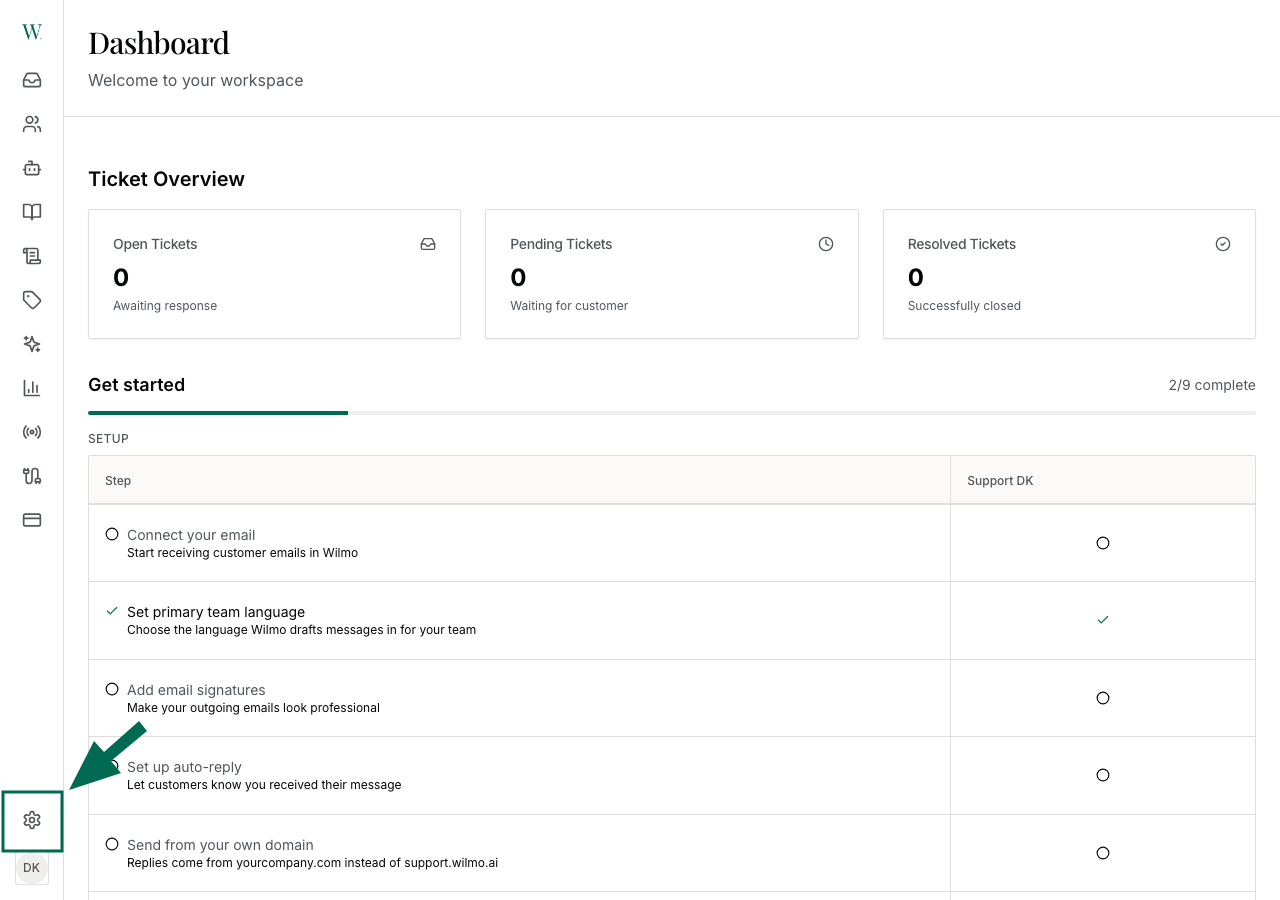
Click the settings icon in the sidebar
The gear icon is at the bottom of the left sidebar.
Set Up Translations
Click the settings icon in the sidebar
The gear icon is at the bottom of the left sidebar.
Reading messages#
When a customer writes in, Wilmo detects which language they used. If it differs from your preferred language, you see a translated version in your inbox. The original is always one click away.
Each team member picks their own preferred language. Maria reads in Danish. Jonas reads in Swedish. Same ticket, different translations.
Replying to customers#
When you send a reply, Wilmo translates it into the customer's language before sending. You write in Danish. The customer gets German.
If you need to reply in a different language, pick it from the language dropdown in the composer.
AI drafts#
The AI writes drafts in the language your team configured — not the customer's language. This way you can read and edit the draft before it goes out.
When you approve the draft, Wilmo translates it to the customer's language automatically. In autopilot mode, the same thing happens without the review step.
Questions#
Customer switches languages mid-conversation?
Detected per-message. If they switch from Danish to English, the next reply goes out in English.
Which languages are supported?
25+. Danish, English, Swedish, Norwegian, Finnish, German, Dutch, French, Spanish, Italian, Portuguese, Polish, Czech, and more.
Does it work on all channels?
Yes. Email, live chat and Instagram DM.
Autopilot?
Same translation, without the review step.
Can I override the reply language?
Yes. Pick a different language from the dropdown in the composer before sending.
Team members speak different languages?
Each member picks their own preferred language in settings. Everyone sees the same ticket translated into their language.
Video#
Ready to transform your support?
Get a personalized walkthrough of Wilmo tailored to your business. Our team will show you exactly how AI can automate your customer support.

“Incredible. Many of the responses Wilmo writes are better than what humans do. And Wilmo takes real actions, which none of the others I've tried have done.”
Søren Nielsen · Viamaja · 85% on Autopilot